What is the frequency of my weather data being updated on WeatherLink.Com? How Frequently Does My Information Get Sent To The Site?

What is the frequency of my weather data being updated on WeatherLink.Com? How Frequently Does My Information Get Sent To The Site?

Update frequency into weatherlink cloud

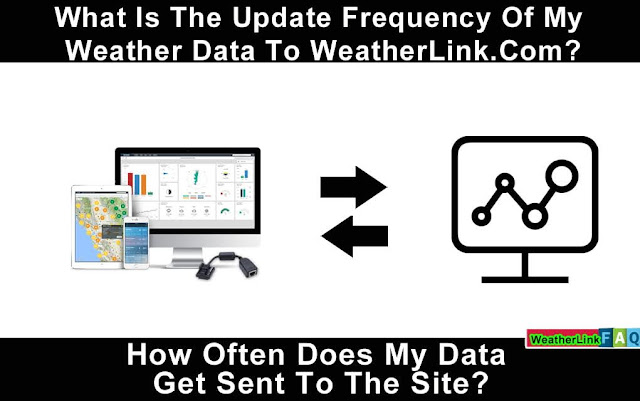
Your update frequency of your weather data is transmitted every minute as long as you have an active connection uploading data.


Please contact us with any further questions.

contact@davisweatherstation.com


What Are DID And Key Code, And How Do I Find Them?

What Are DID And Key Code, And How Do I Find Them?

Weatherlink Device ID

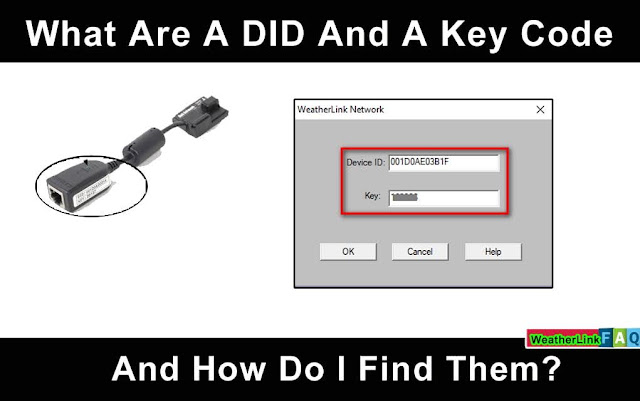
The DID and Key Code on the WeatherLink Network uniquely identify your WeatherLinkIP, Vantage Connect, and WeatherLink Network Annual Subscription (WeatherLink.com).

They're both necessary to create a WeatherLink.com account and are utilized to connect your device/service to your account.

You'll see a term that starts with "DID," which stands for "Device ID." It has 12 characters and includes the digits 0 through 9 as well as the letters A through F.

The DID can be found in the following locations:

Vantage Connect: On the label connected to the plastic cover inside the Vantage Connect and on the front cover of the Vantage Connect handbook, look for “DID” next to it.

The DID and Key are printed on a label affixed to the side of the WeatherLinkIP data logger.
Annual Subscription to the WeatherLink Network: 

When you create an account on WeatherLink.com, you will be given a DID and Key as part of the registration procedure.

APEXS: What Are DID And Key Code, And How Do I Find Them?


Please contact us with any further questions.

How do I join the WeatherLink network on WeatherLink.com?

Three Ways to Join the WeatherLink Network:

WeatherLinkIP

WeatherLinkIP allows you to send your weather data to WeatherLink.com without needing a computer. WeatherLinkIP automatically uploads your data even if your computer isn't turned on—in fact, a computer isn't even necessary to submit data! Find out more.

WeatherLink Network Subscription

Any Davis weather station with a USB or Serial data logger may be converted into a WeatherLink.com station with the WeatherLink Network Subscription. As long as your computer is turned on and the program is running, your weather data is automatically sent to WeatherLink.com with an annual membership. Find out more.

Vantage Connect

With the purchase of the Vantage Connect, you will receive a WeatherLink Network page. Find out more.


On WeatherLink.com you can:

  • CWOP (Citizen Weather Observer Program), Weather Underground, the GLOBE Program, and other third-party weather sites may all be used to automatically post data.
  • Receive e-mail notifications for current weather or basic alarm conditions.
  • Download the data to your PC for all of WeatherLink's sophisticated charting, graphing, and analysis. Extra User License Kits let you download data to many PCs separately, making them perfect for schools, farms, scientific fieldwork, and remote places.
  • Store four times the amount of data that your data logger can hold on its own.
  • View your data on the WeatherLink.com map or in the WeatherLink.com app for iPhone or Android.
  • Allow others to see your current weather data, or mark it as private.

Please contact us with any further questions.


Award winning and recognized